
はじめに
こちらの記事にてDrupalで実装したAPIへアクセス可能にする設定をご紹介しました。
React×TSで作成したアプリケーションからDrupalAPIへアクセスした時に試行錯誤したことをまとめてみました。
アプリケーションの(超)概要
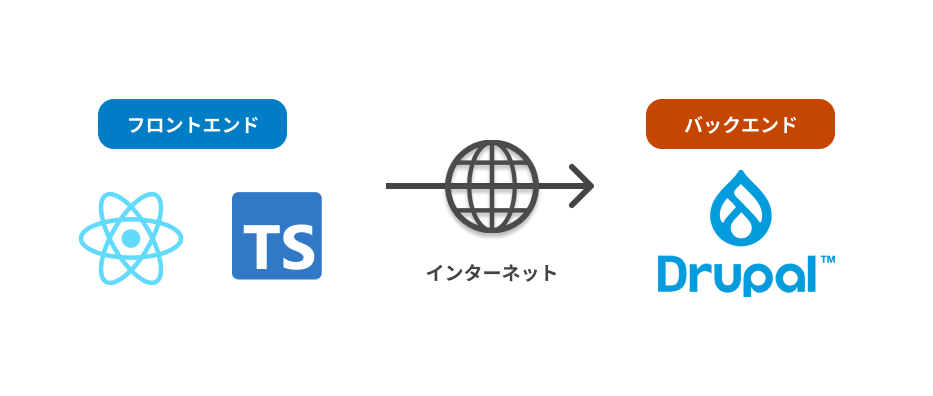
発生したエラーとその解決方法
Request header field content-type is not allowed by Access-Control-Allow-Headers in preflight response.
解決方法
許可するリクエストヘッダーをDrupal側で設定する
エラー内容
リクエストヘッダーに含まれるcontent-typeが許可されてない
解決方法の詳細
services.ymlで許可したいリクエストヘッダーを記載する
    enabled: true
    # Specify allowed headers, like 'x-allowed-header'.
    # allowedHeaders: [] # 修正前
allowedHeaders: ['X-CSRF-Token','Content-Type'] # 修正後の実装例- services.yml作成時はこれが空なのでなにかしら記載する必要があります。
*(全てのリクエストヘッダー)が使用可能です。(安全にしたいならあまりオススメしない)- allowMethodsも同様です。
‘Access-Control-Allow-Origin’ header in the response must not be the wildcard ‘*’ when the request’s credentials mode is ‘include’.
エラー全文
Response to preflight request doesn’t pass access control check: The value of the ‘Access-Control-Allow-Origin’ header in the response must not be the wildcard ‘*’ when the request’s credentials mode is ‘include’. The credentials mode of requests initiated by the XMLHttpRequest is controlled by the withCredentials attribute
解決方法
postする内容からwithCredentials: trueを削除する
エラー内容詳細
Credentialsモードを有効にするならAccess-Control-Allow-Originに*は指定しないでね
解決方法の詳細
Drupal APIに対してPOSTリクエストを送った時に発生したのですが、
この時クライアント側ではwithCredentials: trueを設定していました。
どうやらこれを有効にしているならワイルドカードは指定できないよ。というエラーですのでwithCredentials: trueを削除しました。
await axios.post(
   'Endpoint URL',
   values,
   {
       headers: headers,
       // withCredentials: true // ここを削除した
   },
);
おわりに
この記事ではDrupalAPIを叩いた時のエラーとその解決方法についてご紹介しました。
同様のエラーに遭遇しましたら、ぜひ参考にしてみてください。
(HTTPヘッダとかリクエストについてもっと勉強しないとなぁ)